IPv4 Operations

The Architecture of Addressing, Boundaries, and Reachability

Start hereAddress scopeBinary moduleBits & masksSubnet mathLocal or remote?Repair a host
FIRST, BUILD THE MENTAL MODEL

What Is an IPv4 Address For?

An IPv4 address identifies an interface so traffic can find its destination. Your laptop's Wi-Fi and Ethernet connections can have different addresses. An address can change; it is not a permanent serial number or proof of who owns a device.

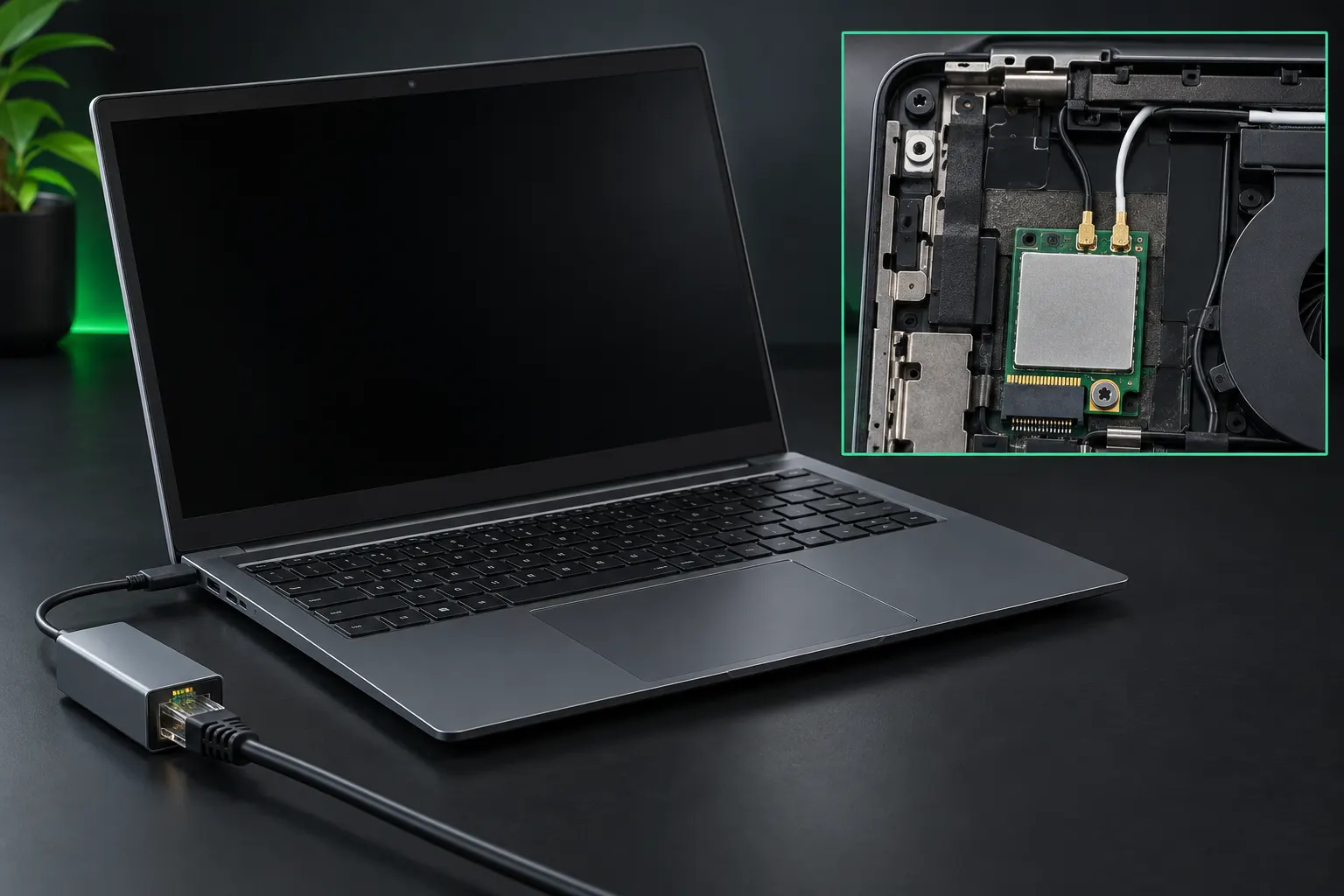
Laptop with wired Ethernet adapter and a separate internal wireless module detail.
Generated teaching image: wired and wireless interfaces are separate configuration points. The inset illustrates a wireless module; it is not a service or disassembly guide. Each interface can have its own IP configuration.

Think: building and room

The network portion is like the building address; the host portion is like a room number inside it. The mask tells you where the building part ends and the room part begins.

Routing still decides how to reach the building. Firewalls and permissions still decide what communication is allowed.

The questions to answer: What kind of address is this? Which subnet contains it? Is the destination local? Is this a valid host configuration?

Address Scope: Private, Public, and Special-Use Space

In real networks, the important distinction is whether an address is private, publicly routable, or reserved for special behavior.

RFC1918

Private Internal Space

What it is: RFC 1918 reserves 10.0.0.0/8, 172.16.0.0/12 and 192.168.0.0/16 for private networks. Separate organizations can reuse these addresses. They are not globally routed as public internet destinations.

On the job: A home laptop at 192.168.1.20 can communicate locally using its subnet settings. Internet access normally uses a gateway with network address translation (NAT), which rewrites private source addresses. Joining two private networks may require planning around overlapping ranges.

Exam connection / common mistake: For 220-1201 IPv4 and N10-009 objective 1.7, recognize the exact ranges: 172.15.x.x and 172.32.x.x are outside the private 172.16/12 block. Private addressing alone does not secure a device.

PUBLIC

Globally Routable Space

What it is: Public IPv4 addresses are allocated for globally unique use and can be routed on the internet. Routing still requires a working path, and a host or firewall may refuse incoming connections. An address describes a destination; it is not a promise of service.

On the job: An organization may use provider-assigned public space on its internet connection. Check the actual interface, routes and firewall when diagnosing access. A public address on an interface does not show whether an application is listening.

Exam connection / common mistake: For 220-1201 and N10-009 IPv4 scenarios, distinguish public addressing from reachability. Do not classify every address outside RFC 1918 as public: special-use ranges have separate purposes.

SPECIAL USE

Reserved Ranges

What it is: Special-use IPv4 ranges have defined jobs. 127.0.0.0/8 is loopback traffic within a host; 169.254.0.0/16 is link-local addressing; 224.0.0.0/4 is multicast, which addresses groups rather than one ordinary host.

On the job: An unexpected 169.254 address can suggest a client failed to obtain usable DHCP configuration. 100.64.0.0/10 is shared provider address space, distinct from RFC 1918. Documentation ranges such as 192.0.2.0/24 are for examples, not production public assignments.

Exam connection / common mistake: For 220-1201 and N10-009 objective 1.7, interpret each range before testing. A successful loopback test checks the local stack, not the cable or internet connection. Link-local addresses normally cannot reach routed destinations.

Network address translation

Network address translation (NAT) rewrites addresses across a gateway. Port address translation lets many internal hosts share an external IPv4 address by tracking transport ports. Private addresses are intended for internal use and require an appropriate routed or translated path to reach outside networks.

220-1201 objective 2.6 and N10-009 objective 1.7 connect IPv4 scope with addressing. NAT is not a complete security policy, and it does not repair an incorrect local mask or default gateway. Test those settings before assuming the ISP is at fault.

Address ranges worth recognizing
RangeMeaningWhat to remember
10.0.0.0 - 10.255.255.255Private /8Every address beginning with 10 is in this private block.
172.16.0.0 - 172.31.255.255Private /12Only second octets 16 through 31. Not all 172 addresses are private.
192.168.0.0 - 192.168.255.255Private /16Both first octets must match: 192.168.
127.0.0.0/8LoopbackStays on the local host. 127.0.0.1 is the familiar example.
169.254.0.0/16Link-local / APIPAOften appears after DHCP is unavailable. It does not provide routed internet access.
100.64.0.0/10Shared address spaceOften used for carrier-grade NAT. Not RFC1918 private space and not globally reachable.
192.0.2.0/24
198.51.100.0/24
203.0.113.0/24
DocumentationExamples in instructions, not real public destinations.
224.0.0.0/4MulticastAddresses a group, not an ordinary single-host destination.
Private does not mean disconnected or secure. A router commonly uses NAT/PAT to translate private source addresses and ports for internet access. That translation is not encryption and does not replace firewall policy.

Check your reasoning: is 172.32.4.8 an RFC1918 private address?

No. The private 172 block ends at 172.31.255.255. Match the actual range, not just the first octet. An unfamiliar non-private address still needs a special-use check before you label it public.

Before the drill: match the private ranges first, then the special-use ranges. This drill uses a selected set of public examples and the special ranges above; it is not a complete IANA registry lookup.

MODULE: ADDRESS SCOPE RECOGNITION
PRIVATE_OR_PUBLIC: ACTIVE

Current challenge: classify the address below.

192.168.44.12

MISSION PROGRESS: 1 / 50
STATUS: AWAITING INPUT
> Awaiting classification.

The Anatomy: What an IPv4 Address Actually Says

NETWORK IDENTITY

Network Portion

What it is: An IPv4 address has 32 binary digits (bits), grouped into four 8-bit octets. The prefix identifies the leading bits belonging to the network. With 192.168.10.42/24, the first 24 bits identify network 192.168.10.0.

On the job: A host compares the destination with its own network using the subnet mask. Matching local network portions normally mean direct delivery to a neighbor; a remote destination normally goes to a router. This decision precedes finding the neighbor’s hardware address.

Exam connection / common mistake: For 220-1201 and N10-009 subnetting, use the given prefix. The first three octets identify the network only for /24; a /26 splits that last octet into network and host bits.

LOCAL UNIQUENESS

Host Portion

What it is: The host portion is the set of address bits after the network prefix. These bits distinguish interfaces within a subnet. A /24 leaves 8 host bits, giving 256 patterns before the usual network and broadcast reservations.

On the job: In 192.168.10.0/24, .1 through .254 are ordinary usable host addresses. Each active interface needs a unique address on that subnet. The network pattern has all host bits zero; the broadcast pattern has all host bits one.

Exam connection / common mistake: For N10-009 objective 1.7 and A+ addressing, avoid assigning the ordinary subnet’s network or broadcast address to a host. The host portion is not always the final octet; /31 point-to-point links and /32 host routes require their special rules.

BOUNDARY MARKER

Subnet Mask / CIDR

What it is: A subnet mask marks network bits with 1s and host bits with 0s. Classless Inter-Domain Routing (CIDR) writes the count of leading network bits after a slash. /24 equals 255.255.255.0; /26 equals 255.255.255.192.

On the job: A /26 leaves 6 host bits: 64 address patterns and usually 62 usable hosts per subnet. The boundaries in the last octet are 0, 64, 128 and 192. Matching masks let devices agree about which addresses are local.

Exam connection / common mistake: For 220-1201 and N10-009 objective 1.7, count bits rather than decimal digits or devices. A larger prefix leaves fewer host addresses. An incorrect mask can make a host try local delivery for a destination that actually needs the gateway.

THE LANGUAGE UNDER THE ADDRESS

Binary: Read It, Build It, Understand It

Binary is another way to write a number, not a different number. Decimal uses ten digits, 0 through 9. Binary uses only two, 0 and 1. A bit is one binary digit; eight bits make a byte. Each IPv4 octet is one byte, so the same address can be displayed as four decimal numbers or four groups of eight bits.

Position gives a digit its value

In decimal, 205 means 2 hundreds, 0 tens, and 5 ones. Moving left multiplies a place value by ten. In binary, moving left doubles it: 1, 2, 4, 8, 16, 32, 64, 128.

Read an eight-bit row left to right as 128, 64, 32, 16, 8, 4, 2, 1. A 1 includes that position's value; a 0 contributes nothing. The leftmost position is the most significant bit; the rightmost is the least significant bit.

Think: eight labeled switches

Imagine eight switches labeled with those values. Switching 64, 8, 4, and 1 on produces 77. Switching 128 on produces 128 by itself. The switches do not change value; you change which ones contribute.

Keep the zeros in their places. 01000000 is 64, but 00000010 is 2. Both have one active bit; its position makes the difference.

Break it down: binary to decimal

  1. Align the places. Write 01001101 beneath 128 64 32 16 8 4 2 1.
  2. Keep only the 1s. They select 64, 8, 4, and 1. The other positions contribute 0.
  3. Add the selected values. 64 + 8 + 4 + 1 = 77. Binary 01001101 and decimal 77 represent the same quantity.

Build it up: decimal to binary

Start with decimal 77 and work from the largest place to the smallest. Ask whether that place fits into the remainder. If yes, write 1 and subtract it. If no, write 0 and keep the remainder.

Build 77 one place at a time
PlaceFits the remainder?WriteRemainder
128No: 128 > 77077
64Yes: 77 - 64113
32No: 32 > 13013
16No: 16 > 13013
8Yes: 13 - 815
4Yes: 5 - 411
2No: 2 > 101
1Yes: 1 - 110

The finished row is 01001101. Check your work by adding its active places back together.

Why 0 through 255?

Eight bits have 2^8 = 256 possible patterns. All off, 00000000, is 0. All on, 11111111, is 128 + 64 + 32 + 16 + 8 + 4 + 2 + 1 = 255. Counting from 0 gives 256 values, not 255.

Leading zeros preserve the eight-bit width without changing the value: 101 and 00000101 both mean 5. This module uses unsigned bytes; its leftmost bit is not a minus sign.

Counting and carrying

Binary counts 0, 1, 10, 11, 100, 101.... After 1, that place resets to 0 and carries a 1 into the next place. Binary 10 is decimal 2, not decimal ten.

00000111 = 7
00001000 = 8
11111111 = 255
100000000 = 256 (nine bits)

256 needs a ninth bit, so it cannot fit inside one IPv4 octet. Bit count measures the representation; it does not mean that many hosts.

Connect it to IPv4: 192.168.10.77 is 11000000.10101000.00001010.01001101. A subnet mask is binary too: 11111111.11111111.11111111.11000000 is 255.255.255.192, or /26. A zero in an address is normal; the mask determines whether the whole address is a network, broadcast, or host.

Check your reasoning: what is 10000001, and why?

129: the 128 and 1 places are on. There are two active bits, but the answer is not 2. Always add the place values, not the number of 1s.

Another conversion method: divide by two

Repeatedly divide the decimal number by 2 and record each remainder. For 13: 13 / 2 = 6 remainder 1; 6 / 2 = 3 remainder 0; 3 / 2 = 1 remainder 1; 1 / 2 = 0 remainder 1. Read the remainders bottom to top: 1101. Pad to eight bits: 00001101. Both methods produce the same result; choose the one you can explain confidently.

Practice before adding time pressure

  1. Explore. Toggle the eight places and watch the sum, or load a decimal value. Step through its conversion, then transfer the byte into the IPv4 visualizer.
  2. Practice. Choose a direction and range. Build the requested byte or read a byte into decimal. Check your answer and read the reasoning before advancing through ten questions.
  3. Speedrun. Start a 60-second round. New requests arrive every eight seconds. Select any queued request to solve; the queue holds four. An overflowing request is counted as missed. Pause whenever you need; leaving the tab pauses the round automatically.
MODULE: BINARY WORKBENCHONE BYTE / EIGHT PLACES
EXPLORE / NO TIMER8 bits / 256 patterns
YOUR BYTE01001101

Every active place contributes its labeled value to the total.

Eight-bit pattern01001101
Decimal total77

64 + 8 + 4 + 1 = 77

77 is loaded. Toggle a place to change the byte, or step through how 77 is built.

Bit Boundary Visualizer

Read one octet in binary

The eight positions are worth 128, 64, 32, 16, 8, 4, 2, 1. Add the positions whose bits are 1.

77 = 64 + 8 + 4 + 1
77 = 01001101
192 = 128 + 64 = 11000000

Read the mask

Valid ordinary subnet masks have contiguous 1s followed by 0s. With /26, the final mask octet is 11000000, or 192.

/24 = 255.255.255.0
/26 = 255.255.255.192
26 network bits + 6 host bits = 32

Same address, different boundary

With 192.168.10.77/24, the subnet runs from .0 to .255. Change only the prefix to /26: blocks are 64 addresses wide, and .77 belongs in the .64-.127 block. The subnet is now 192.168.10.64/26, with hosts .65-.126.

Why: bitwise AND keeps network bits and clears host bits: 01001101 AND 11000000 = 01000000, or 64.

Try the comparison: leave the address at 192.168.10.77 and move from /24 to /26. Green cells are network bits; cyan cells are host bits. A bright cell means its value is 1, not that it is a usable address.

MODULE: ADDRESS ANATOMY
BIT_ANALYZER: LIVE
Network Address
192.168.10.0
Broadcast Address
192.168.10.255
Usable Range
192.168.10.1 - 192.168.10.254

Subnet Math: Find the Whole Block

Subnetting splits address space into smaller networks. A longer prefix leaves fewer host bits and makes a smaller block. For an ordinary subnet, calculate 2^(32 - prefix) total addresses, then reserve the network and broadcast addresses.

Worked example: 10.44.8.95/27

  1. Count host bits. 32 - 27 = 5. The block has 2^5 = 32 addresses.
  2. Find the mask. /27 is 255.255.255.224. The changing octet's increment is 256 - 224 = 32.
  3. Find the block. Starts are .0, .32, .64, .96... Address .95 sits in .64-.95.
  4. Identify the ends. Network: 10.44.8.64. Broadcast: 10.44.8.95. Usable hosts: 10.44.8.65-.94, or 30 addresses.

Conclusion: .95 is the broadcast address for this /27, even though it does not end in .255.

Common prefixes for ordinary subnets
PrefixMaskTotal addressesUsable host addresses
/22255.255.252.01,0241,022
/24255.255.255.0256254
/25255.255.255.128128126
/26255.255.255.1926462
/27255.255.255.2243230
/28255.255.255.2401614
/29255.255.255.24886
/30255.255.255.25242

Not every boundary is in octet four

A /22 changes the third octet. Its increment is 256 - 252 = 4. Address 192.168.10.77/22 belongs to 192.168.8.0/22, covering 192.168.8.0 through 192.168.11.255.

Choose space for the whole segment

Forty workstations need more than the 30 usable addresses in a /27. A /26 has 62 usable addresses, but also budget for the gateway, printers, servers, and growth.

Check your reasoning: can 192.168.10.0 ever be a usable host?

Yes. In 192.168.8.0/22, it is between the network and broadcast addresses. The mask decides the role; a final octet of 0 or 255 alone does not decide it.

Two exceptions: /31 point-to-point links can use both addresses under RFC 3021. A /32 represents one address, commonly a host route. Do not apply the ordinary "minus two" formula to those cases. The visualizer and recognition drills use ordinary subnets.

Historical context: classes versus CIDR

Legacy class A, B, and C defaults were /8, /16, and /24. Modern classless addressing carries an explicit prefix. A 10.x address can belong to a /27 subnet; its first octet does not force /8. The private-space allocation and your actual subnet prefix are separate concepts.

How a Host Chooses Local or Remote

In the basic single-interface case, the host compares its own subnet with the destination's subnet using its mask. Matching network portions mean an on-link destination. A different network needs a route, often the default gateway. More-specific routes can override that default.

  1. 192.168.10.77/24The workstation's local subnet is 192.168.10.0/24.
  2. Destination 192.168.10.20Local. On Ethernet/Wi-Fi, ARP resolves that destination's MAC address.
  3. Destination 192.168.20.20Remote. ARP resolves the next-hop gateway's MAC address, not the remote host's.
The important distinction: the frame goes to the gateway, but the IP packet still names the remote destination. Routing forwards it onward; NAT may separately change addresses at a translation boundary.

DNS answers a different question

DNS looks up an IP address for a name. It does not act as the default route. A DNS server can be local or remote; it needs a working path. If traffic to a known IP works but name lookups fail, investigate DNS.

DHCP supplies the settings

DHCP commonly leases the IP address and supplies the mask, gateway, and DNS settings. With static configuration, you enter them yourself. An unexpected 169.254 address suggests checking DHCP availability and the link.

Check your reasoning: can local devices still communicate with a wrong gateway?

Often yes, if their IP addresses and masks are correct and the link and policy allow it. They do not need the default gateway for on-link traffic. Remote destinations usually fail when the required next hop is wrong.

Configuration Logic: What a Host Must Know

Setting Why It Matters If It Is Wrong
IP AddressIdentifies the device.Collision or wrong network.
Subnet MaskDefines local/remote boundaries.Traffic misrouting.
Default GatewayNext hop when no more-specific route applies.Local traffic may work while remote destinations fail.
DNS ServerLooks up destination addresses by name.Known-IP access may work while name lookups fail.

Repair order: read the assigned subnet and CIDR, calculate its host range, choose an unused host address, match the mask, then enter the assigned gateway and DNS server. This checker validates the fictional scenario; it does not probe a real network or verify whether an address is already in use.

MODULE: CONFIG VALIDATION
HOST_CHECKER: READY

Mission objective: Configure the workstation based on the tactical parameters provided below.

TARGET SUBNET: 192.168.50.0
ASSIGNED CIDR: /24
TARGET GATEWAY: 192.168.50.1
ASSIGNED DNS: 192.168.50.10
> Analyze and repair the provided configuration. Multiple octets may be invalid.

Recognition Drill: Network, Broadcast, or Usable Host?

Before answering: calculate the block's start and end. The start has all host bits 0; the end has all host bits 1. Addresses strictly between them are usable host addresses in these ordinary subnets. After answering, read the calculation before selecting the next address.

MODULE: SUBNET RECOGNITION
RANGE_JUDGE: ACTIVE

Current challenge: classify the test address below.

10.44.8.95

Subnet: 10.44.8.64/27

DRILL PROGRESS: 1 / 50
BLOCK SIZE: N/A
> Awaiting classification.

IPv4 Worked Examples

Select a worked example to connect the vocabulary to the calculation.

CHOOSE AN EXAMPLE
ANALYSIS SCREEN
STATUS: READY
Select an example to see its reasoning.

Troubleshoot in a Useful Order

  1. Check the link. Cable, Wi-Fi association, interface status, and VLAN membership come before subnet math.
  2. Read the configuration. On Windows, ipconfig /all shows addressing, gateway, DNS, and DHCP details. Compare them with the expected segment.
  3. Separate local and remote reachability. Test a known local device or gateway, then a known remote IP. A missing ping reply alone is not proof of failure: ICMP may be filtered.
  4. Separate names from addresses. If IP-based access works but names fail, inspect DNS configuration and use nslookup for a targeted lookup.
  5. Check routing and policy. If the address math is right, investigate routes, firewall rules, VLANs, and the destination service. A subnet calculator cannot prove connectivity.
Keep in your notes: the mask defines the subnet; the gateway handles the next hop; DNS resolves names; private space is not a security control; network and broadcast roles depend on the prefix.

Technical references: Private addressing / RFC 1918, CIDR / RFC 4632, /31 links / RFC 3021, and the IANA special-purpose registry.

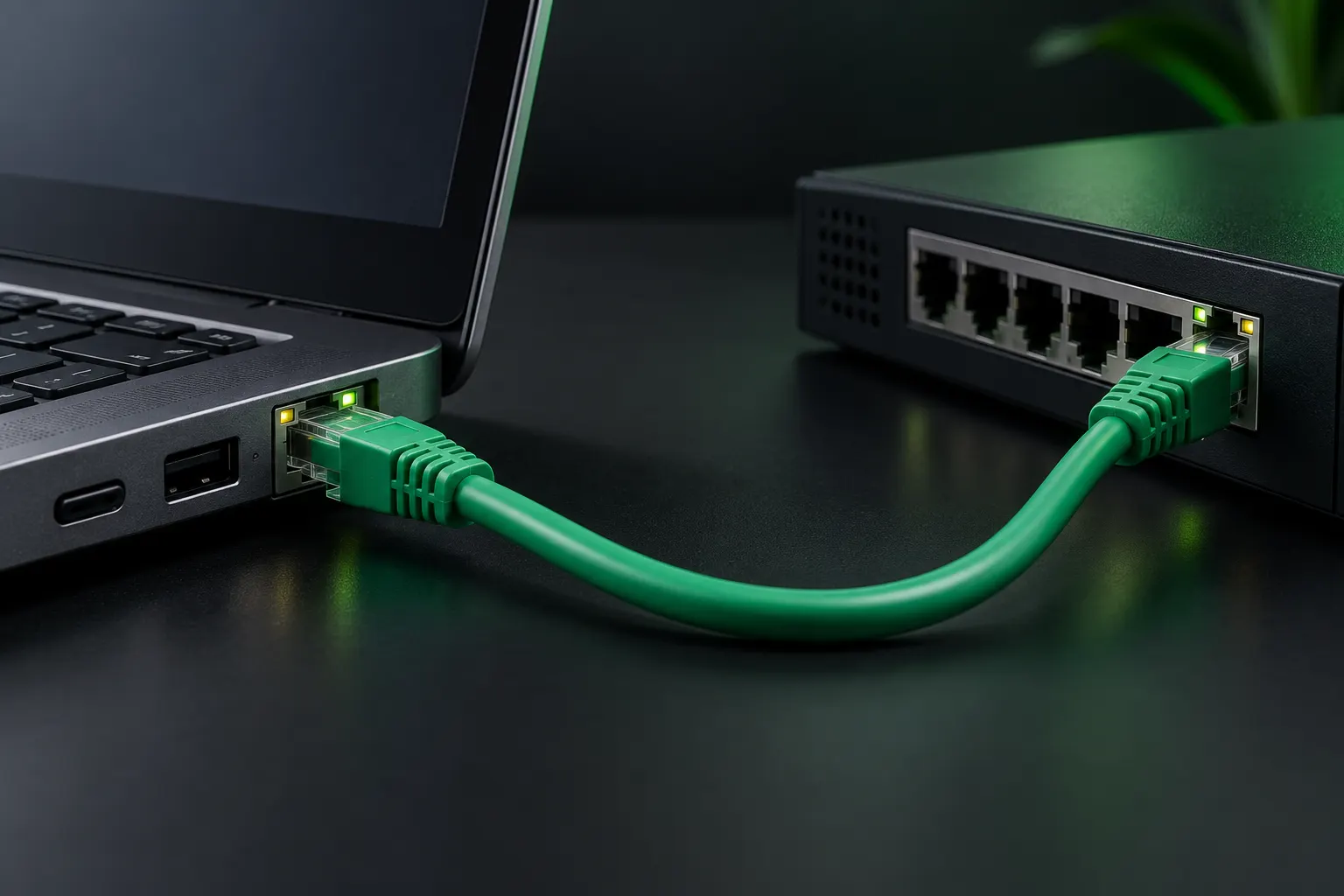
Latched Ethernet patch cable between a laptop jack and switch with illuminated link LEDs.
Generated physical-link example. Link/activity LEDs are a clue about the local connection; they do not prove addressing, DNS or end-to-end connectivity.

IPv4: key takeaways

  • IPv4 addresses contain 32 bits; the prefix identifies how many belong to the network portion.
  • Private ranges are 10.0.0.0/8, 172.16.0.0/12 and 192.168.0.0/16.
  • The prefix, not the last octet alone, determines subnet boundaries.
  • Ordinary multiaccess subnets reserve network and directed-broadcast addresses; usable host counts usually subtract two.
  • A /31 point-to-point link and a /32 host route have different counting rules.
  • A host uses the mask to decide whether the destination is local; remote traffic normally goes through a reachable gateway.
  • DNS resolves names and DHCP supplies settings; neither replaces correct addressing and routing.

Common mistakes

  • Treating every address ending in .0 as a network address.
  • Choosing a gateway outside the modeled local subnet.
  • Applying the usual subtract-two rule to every prefix.

Study next

Review DHCP configuration delivery, then DNS and transport service troubleshooting.

Field Resources

Prefer video first? These free lessons cover addressing and subnetting and open on YouTube in a new tab. Then check the registries for the exact reserved ranges.

Read the source

LAT: 0000
LON: 0000
DEP: 0000